
Live English lessons
Every lesson is a flight.
A live English lesson on one shared screen. Your class talks, plays and votes, then lands in a new city.
4 full lessons free every month. For good. No card.
Eat only street food for a month, or only home cooking?
Everyone chooses on their phone. Try it: you are Yuki.
Would you rather…
Below us: the Massif Central · France · 7:54 pm · cloudy
An example lesson. The phone is the real student screen: choose an answer and send it.
- Share on any video call, or project in class
- Student phones are optional
- Students join free, without accounts
Anything can be the lesson
Pick a topic. Watch it become a lesson.
Tap an example to see the first three activities the room would build.
Play only old games for ever, or only games that do not exist yet?
Everyone votes, then two students explain why.
level · character · controller · multiplayer · upgrade
Each word with its meaning, an example and a question to answer aloud.
Describe a video game without saying its name.
One student describes; the class buzzes in to guess.
These four examples are written by hand, to show the kind of thing the room builds.
More than 40 games and activities, every one written for your topic and your class's level: Would You Rather, Hot Seat, Fact Detective, Imposter, Taboo Sprint, Flash Quiz, Hot Take Arena, Conversation Rounds, Black Box, VocabSprint and many more.
It also starts from an article, a page of your coursebook, a whole book, or a video: try it with a YouTube link.
World Flight · inside every lesson
Fly your class around the world
Every lesson that takes off and lands moves your class to a new city. 50 real destinations to stamp, each with its own scene and its own lessons. Earn a bigger plane, and let the class choose where to fly next.
Speaking · City life
A stamp and souvenirs in every city
50 cities, each with its own scene, souvenirs to collect, a postcard home from the class, and its own video and reading lessons.
The class chooses the next stop
At landing the class sees what it improved, gets its stamp, and votes on where the next lesson flies.
Stars the class earns together
One when the class takes part, one for a strong lesson.
A journey worth replaying
Replay every flight on the map, watch visited countries light up, and pass milestones like halfway around the Earth. Plus themed expeditions and design missions.
The flight is real
Look out of the window.
A real route
The plane follows the true path between the two cities, at the pace of your lesson, and the class sees what it will pass on the way.
What is below you
The room names the place you are flying over right now: “the Massif Central, France”.
Today’s weather
Cloud, rain or snow outside the window is the live weather at that spot.
The real time and sun
Local time on the ground, with sunset and night where they truly are.
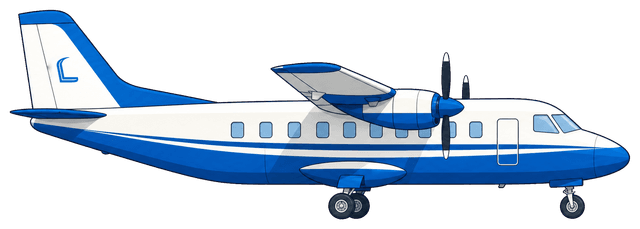
A bigger plane reaches further.
An example class in Madrid: 13 cities in range today, and New York, Dubai, Toronto and more once it earns the next plane.
 LondonNew YorkCairoDubaiMoscowRomeLagosMiamiNairobiDakarDelhiMadrid
- You are here
- In range today (5,200 km)
- Unlocked by the next plane (6,800 km)
- Further still
5 planes to earn.
Flight hours and stars upgrade the plane. At each upgrade the class chooses between three.
 Starter5,200 km
- First Upgrade6,800 km
 Specialist8,500 km
 Advanced10,500 km
 Prestige13,000 km
Souvenirs in every city.
Five in every city. Some only come on a return visit, or with a postcard home from the class.
- Tuk-tuk modelBangkok
- Irish stew bowlDublin
- Train pass caseTokyo
- Pyramid modelCairo · rare
Change course mid-flight
Diego’s uncle studies volcanoes. Go there. Then come back.
The best moments in a lesson are the ones you did not plan. You are talking about dream jobs, Diego mentions his uncle, and suddenly the whole class wants to know about volcanoes. Follow it: the room has fresh activities in seconds, and your original topic waits one tap away.
- From anythingA question a student sends in, a photo, a link, a word nobody knew, or a topic you type.
- Nothing is lostThe room keeps a trail of where the lesson has been, and returns to any point on it.
Have a job you love with low pay, or a boring job with high pay?
An example. Tap a detour, then tap Dream jobs to come back.
For the students
They tap. Then they talk.
Phones are for choosing, voting and buzzing in. The English happens out loud, with you.
- No accounts, nothing to installA first name and a seat. That is all a student gives.
- Everyone answers, not just the fast onesThe quiet student votes too, and you can see who has not spoken yet.
- No phones in your school?Teach from your screen alone: you choose who speaks and mark answers yourself.
- Young learnersJunior mode uses pictures and a read-aloud voice, and never ranks children.
Simplified examples of the student phone.
When you want a full plan
Seven flights, sized to your lesson.
Set the class to 30, 45, 60 or 90 minutes and the flight fits. Tap one to see how it runs.
One big question, investigated: source, words, discussion, verdict.
- Flight Question
- Briefing
- Language Toolkit
- The Big Discussion
- Review Game
- The Verdict
Each flight opens with what the class can do now and ends by showing what changed. Started halfway through a lesson, it fits the time you have left.
Who made this
Built by an English teacher, for real lessons.
LessonCaptain is made by an English teacher who teaches online. It started because the tools at hand kept students quiet: quizzes to click through, slides to sit through. Everything in it is tried in real lessons first.
Made to be projected
Answers stay hidden until you reveal them, and your private notes never appear on the shared screen.
A first name only
No student accounts and no student email addresses.
Free lessons that do not run out
Four every month, for as long as you teach.
Pricing
Students never pay. Start free.
Test Flight · free, for good
$0
- 4 full lessons every month
- The live room and all 40+ games and activities
- World Flight for all your classes
Pro · for weekly teaching
$9 a month
or $79 a year
- Unlimited lessons
- Any YouTube video read in full
- Courses and your own books
- Class notes and reports
No card needed to start.
Questions teachers ask first
Does it work online and in a classroom?
Yes. Online you share the one teaching window on Zoom, Teams, Google Meet or any other video call; in a classroom you put it on the projector.
Do students need accounts or an app?
No. They open a link or scan a code, type a first name and take a seat. Students never pay.
Is it only for children?
No. It works for children, teenagers and adults. You set the class level once, from Beginner (A1) to Expert (C1), and the lesson is written for it. Junior mode is there for the youngest classes.
Do I have to start with a video?
No. Start with a topic, an article, a page of your coursebook, a whole book, a video, or the conversation already happening in class.
Does free access expire?
No. You get four full lessons every calendar month for as long as you teach.